The office in your pocket, the work in the field

Start the day with a summary on iOS or Android, check a customer’s balance and the warehouse stock, issue quotes and invoices in the field, and approve pending orders from your phone.

Sold as an add-on; included in Enterprise. Details

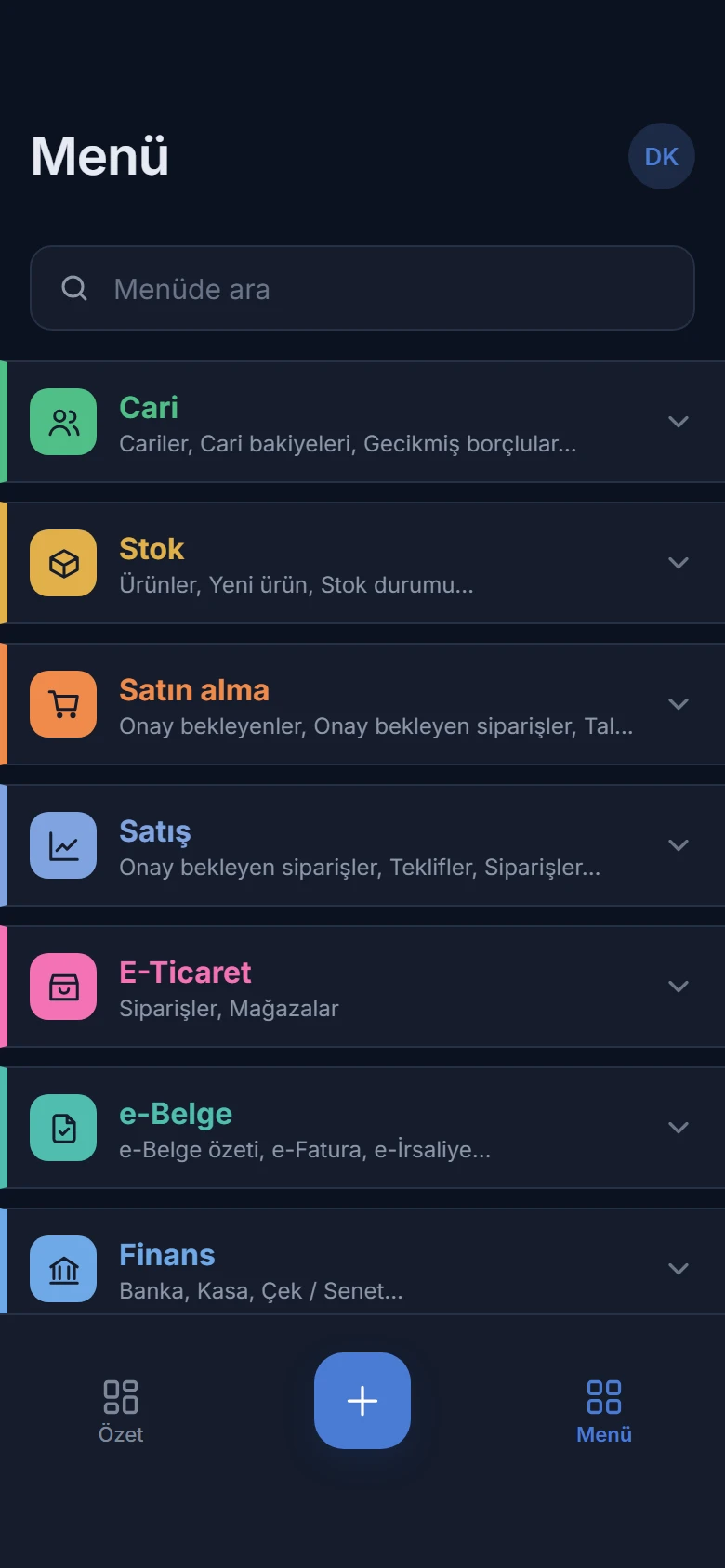
Menu in dark theme: Customers, Stock, Purchasing, Sales, E-commerce, e-Documents, Finance and Accounting modules in their own colours
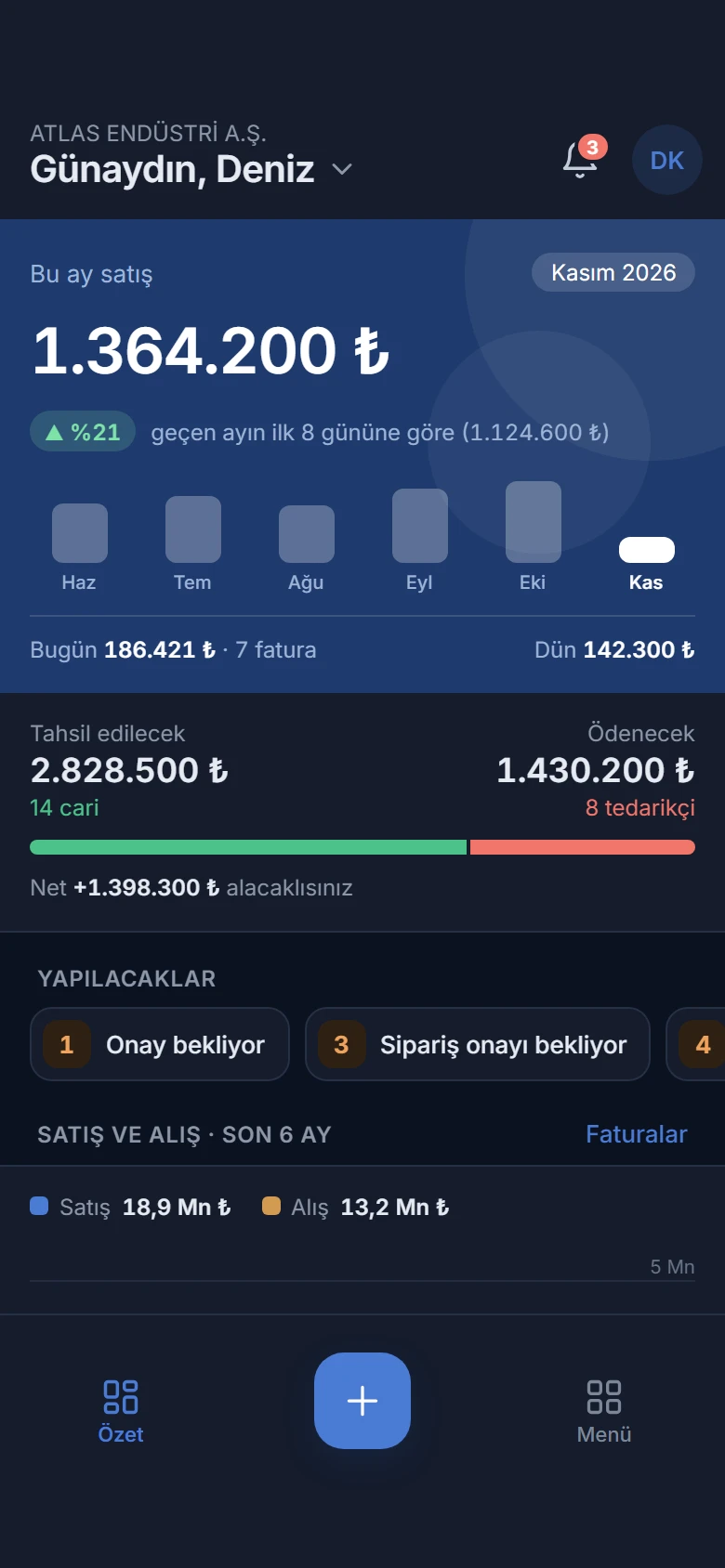
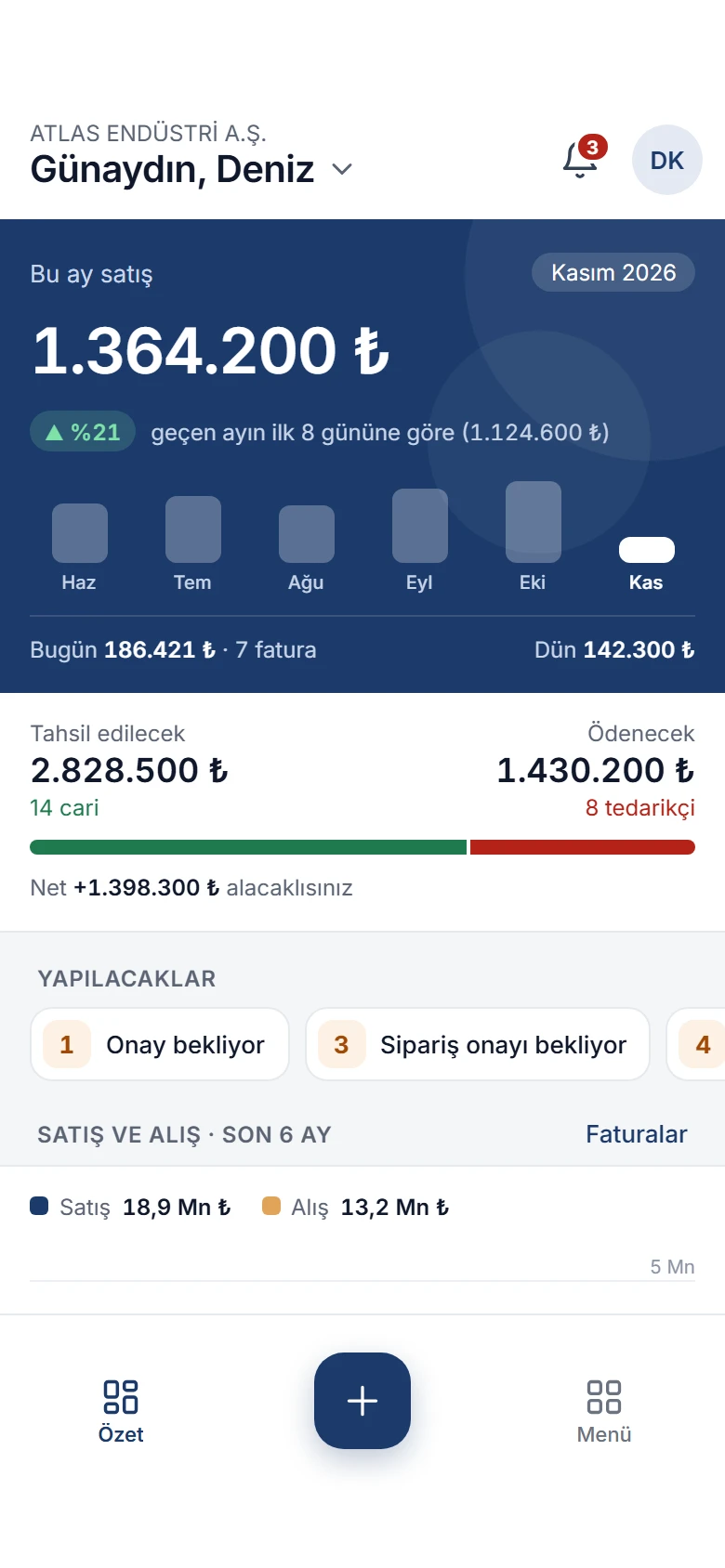
Summary in dark theme: sales this month and the change against last month, columns for the last six months, receivables and payables, to-dos
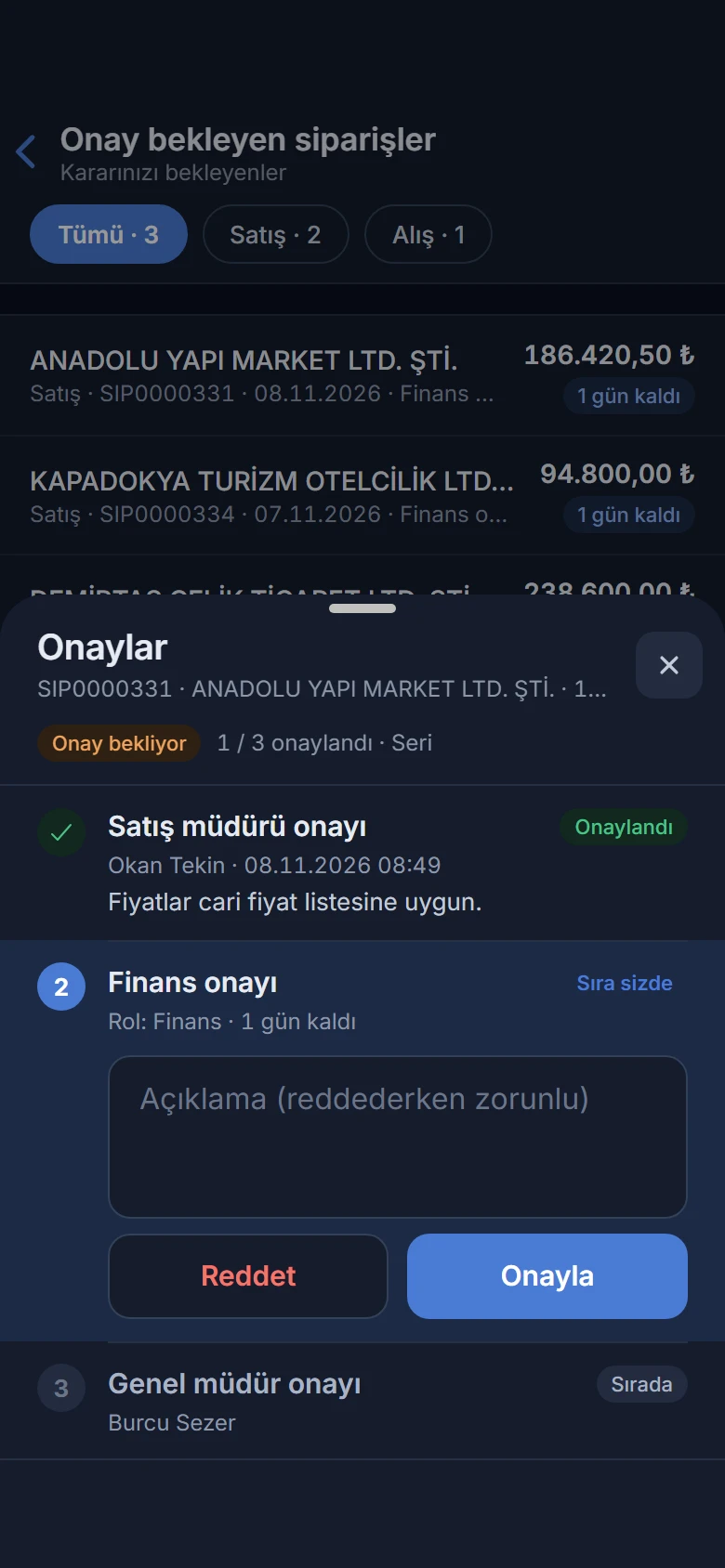
Order approvals in dark theme: the sales manager approved, finance is next; Approve and Reject

A day in the field

This is how a sales rep’s day goes with Noyax. The screens come from the app itself, with sample data; the phone’s clock moves on as you scroll.

  1. Start the day with a summary

    This month’s sales and the change against the same days last month, today’s invoices, and what is to be collected and paid, on one screen. To-dos count what awaits your approval, unsent e-invoices and unposted records.

    Summary: sales this month up 21 per cent on the first 8 days of last month; 7 invoices today; 14 customers to collect from, 8 suppliers to pay; to-dos
  2. An order waiting for you

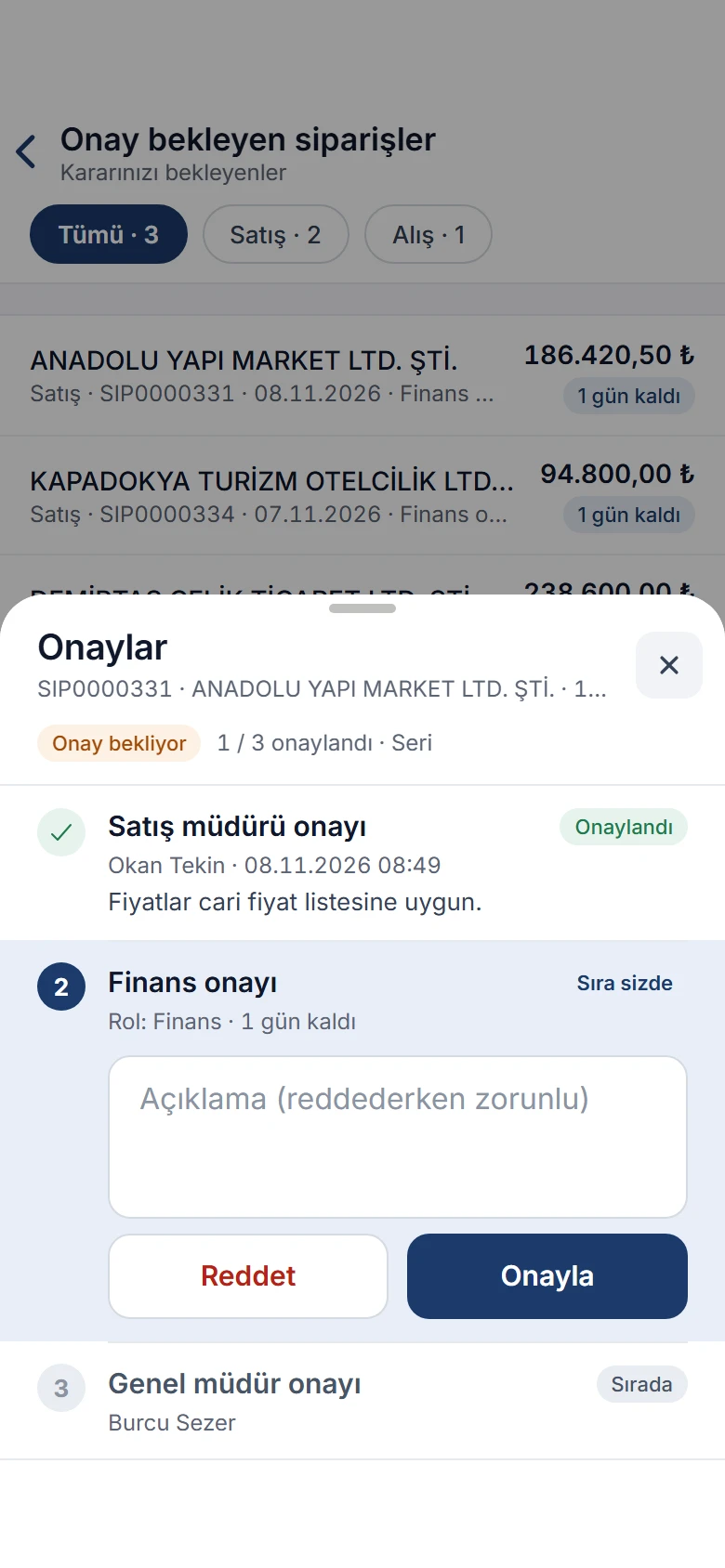
    When an order over the limit needs approval, a notification arrives. You see the earlier approval, who is next and the time left, and approve from your phone or reject with a note.

    Approvals for SIP0000331: the sales manager approved, finance is next with one day left, then the general manager; Approve and Reject
  3. At the customer’s door, their balance in hand

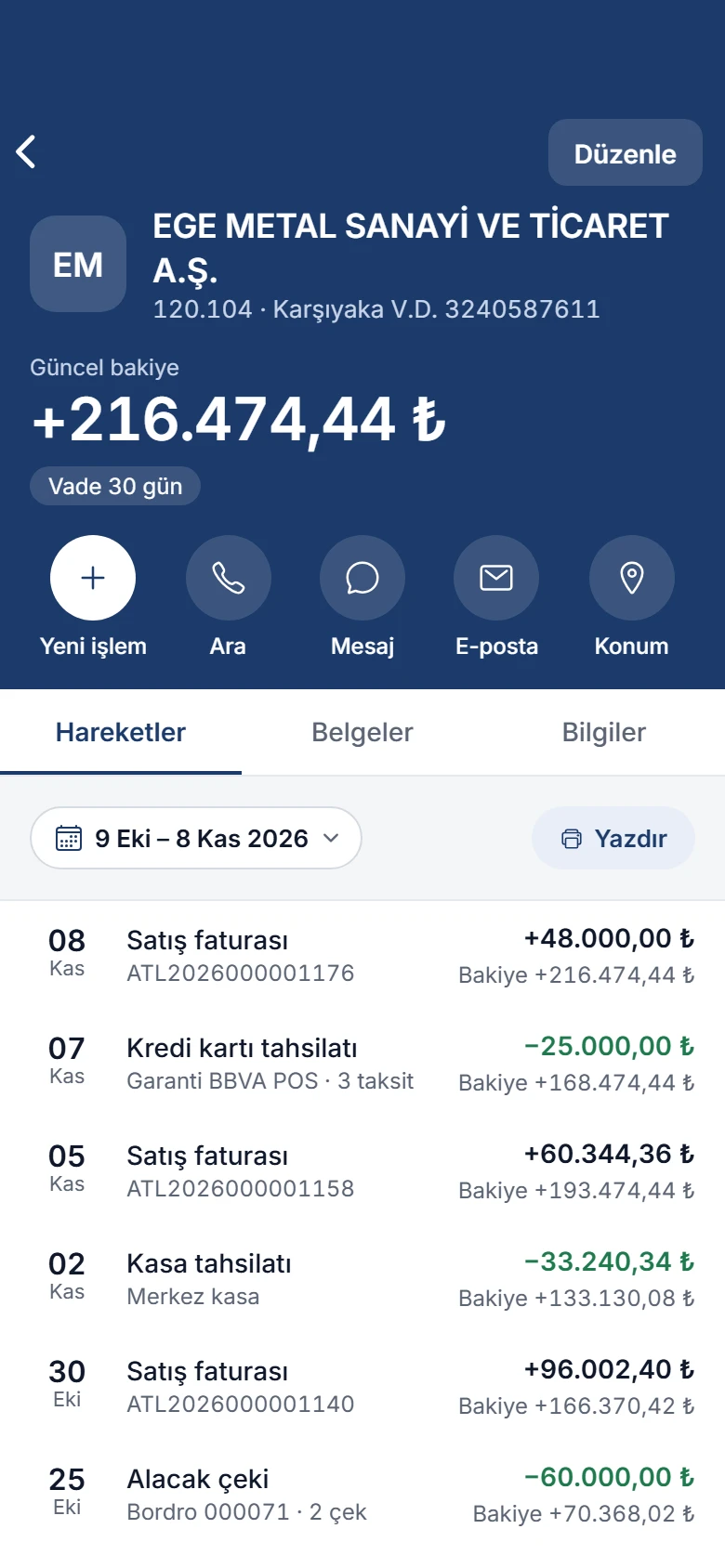
    The customer card shows the current balance, payment terms and statement. One tap to call, text or open the address in maps; start a collection from New transaction for this customer and share the statement as a PDF.

    Customer card of EGE METAL SANAYİ VE TİCARET A.Ş.: current balance, 30-day terms; New transaction, Call, Message, Email, Location; statement with sales invoices and collections
  4. What’s in the warehouse? Ask the camera

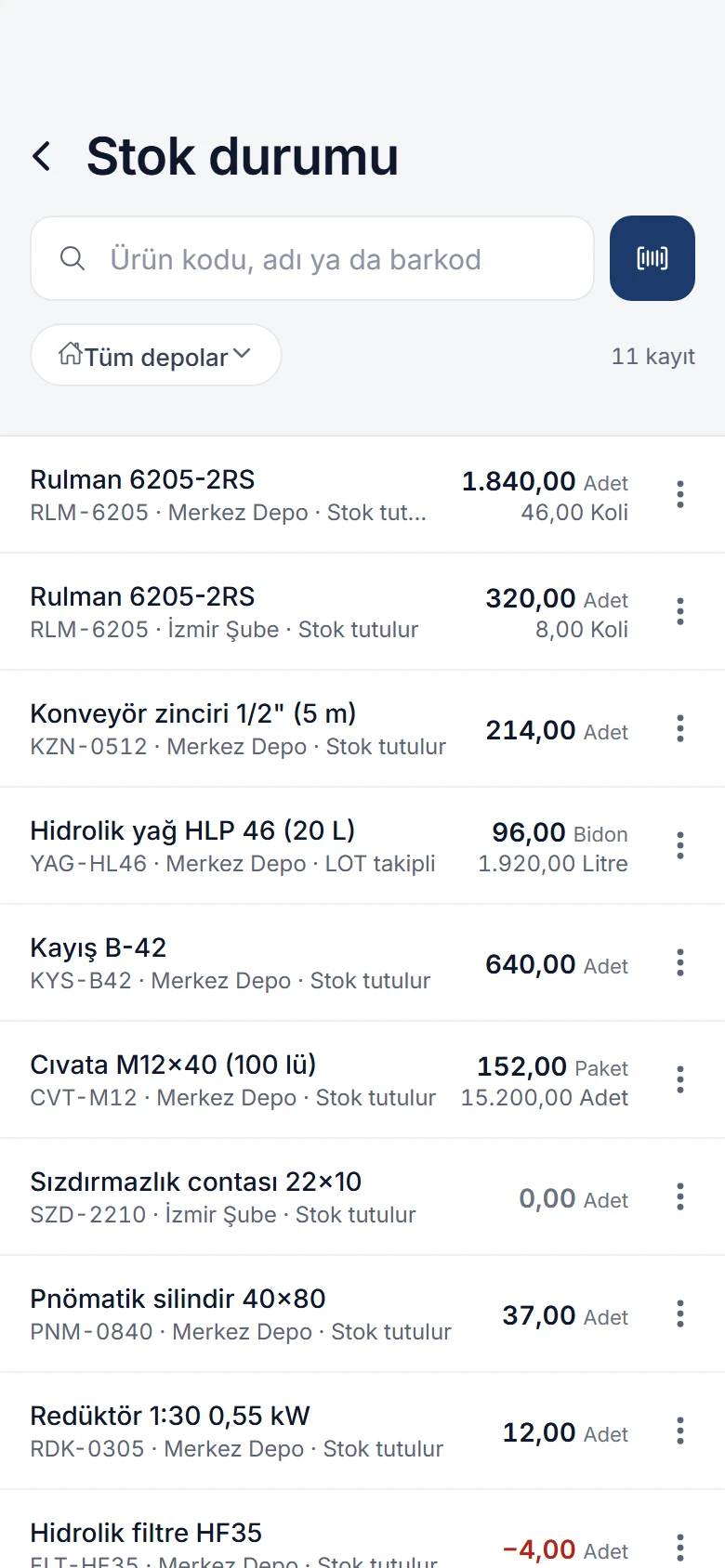
    Stock status shows each product’s quantity per warehouse in its main and second unit. Type a product code or name, or scan the barcode with the phone’s camera.

    Stock status: search box and barcode button, warehouse filter; quantities of bearings, chains, hydraulic oil and more in Merkez Depo and İzmir Şube
  5. Quotes, orders and invoices from the field

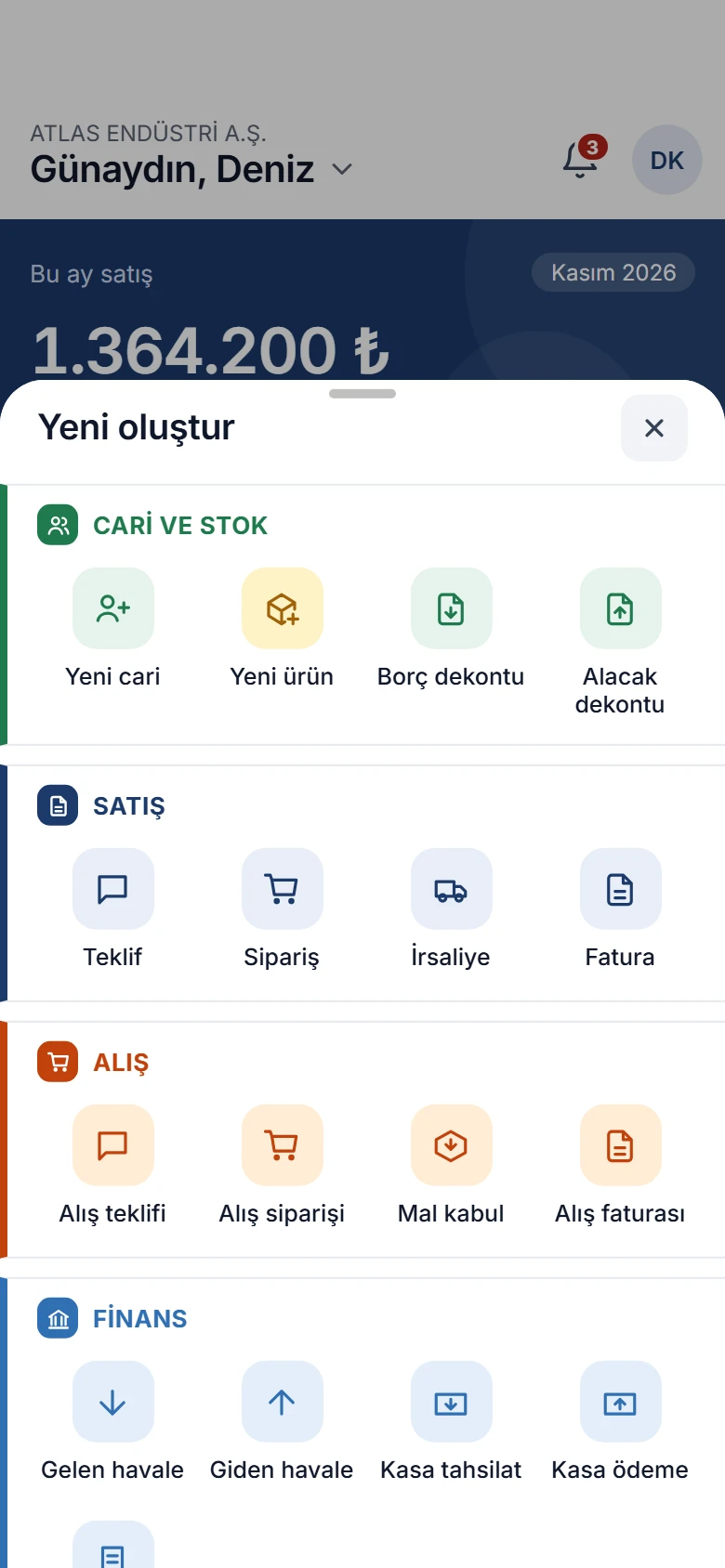
    The + in the middle opens frequent tasks in one tap: new customer and product, quote, order, delivery note, invoice, purchase documents, transfers, cash and expense vouchers. Forms save with the same rules as the web.

    Create new sheet: new customer, quote, order, delivery note, invoice, goods receipt, transfers, cash and expense vouchers in the Customers and stock, Sales, Purchasing and Finance sections
  6. E-invoices on their way before the day ends

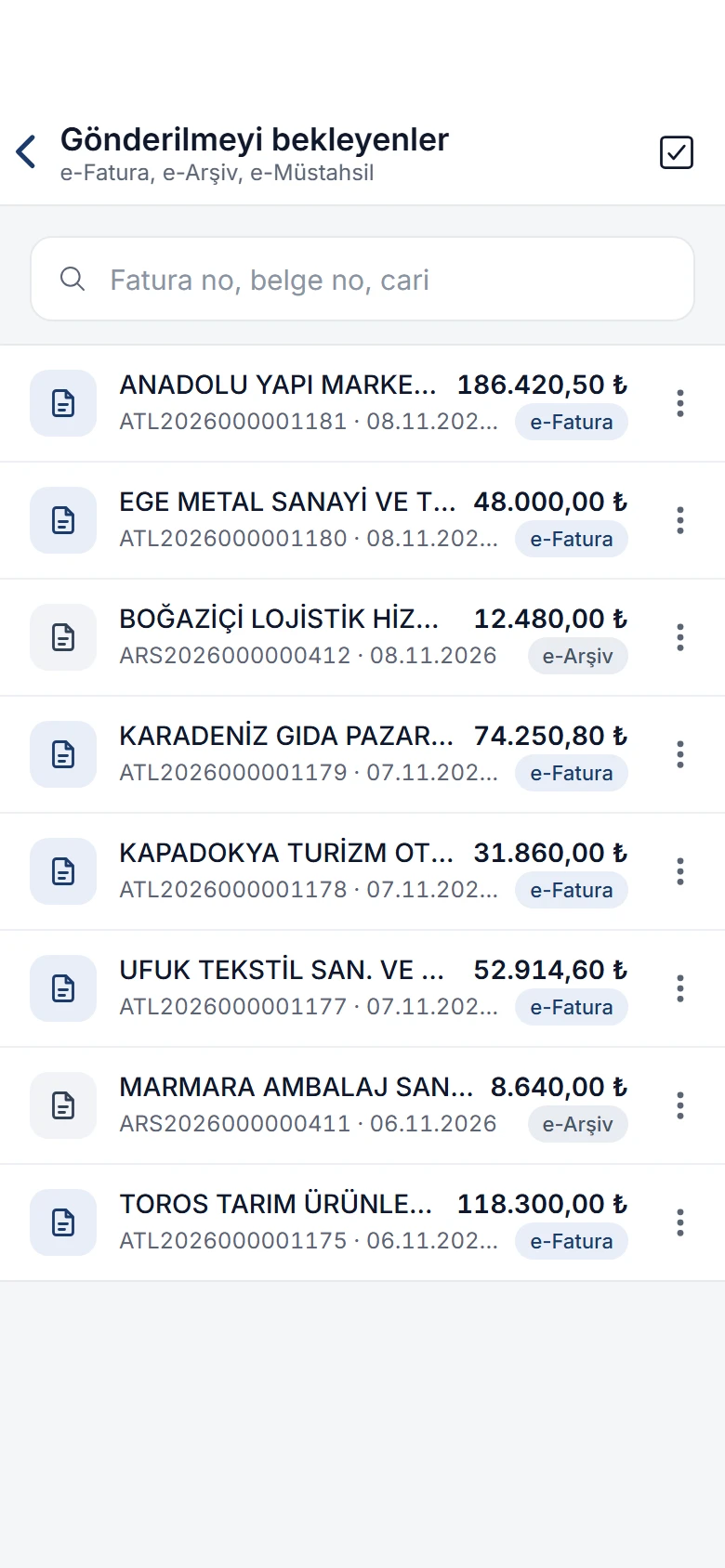
    Send pending e-invoices and e-archive invoices one by one or select several and send them together, with a preview first. Incoming e-invoices are on the phone too.

    Waiting to be sent: e-invoices and e-archive invoices with customer name, number, date and amount
Summary: sales this month up 21 per cent on the first 8 days of last month; 7 invoices today; 14 customers to collect from, 8 suppliers to pay; to-dos Approvals for SIP0000331: the sales manager approved, finance is next with one day left, then the general manager; Approve and Reject Customer card of EGE METAL SANAYİ VE TİCARET A.Ş.: current balance, 30-day terms; New transaction, Call, Message, Email, Location; statement with sales invoices and collections Stock status: search box and barcode button, warehouse filter; quantities of bearings, chains, hydraulic oil and more in Merkez Depo and İzmir Şube Create new sheet: new customer, quote, order, delivery note, invoice, goods receipt, transfers, cash and expense vouchers in the Customers and stock, Sales, Purchasing and Finance sections Waiting to be sent: e-invoices and e-archive invoices with customer name, number, date and amount

What matters first

Tasks waiting for your approval, changes to records you follow and upcoming due dates arrive as notifications. Tap a notification to open the record.

  • Choose which events notify you under Settings › Notifications.
  • A notification that arrives while the app is open shows as a short banner at the top.
  • Unread notifications are listed separately.
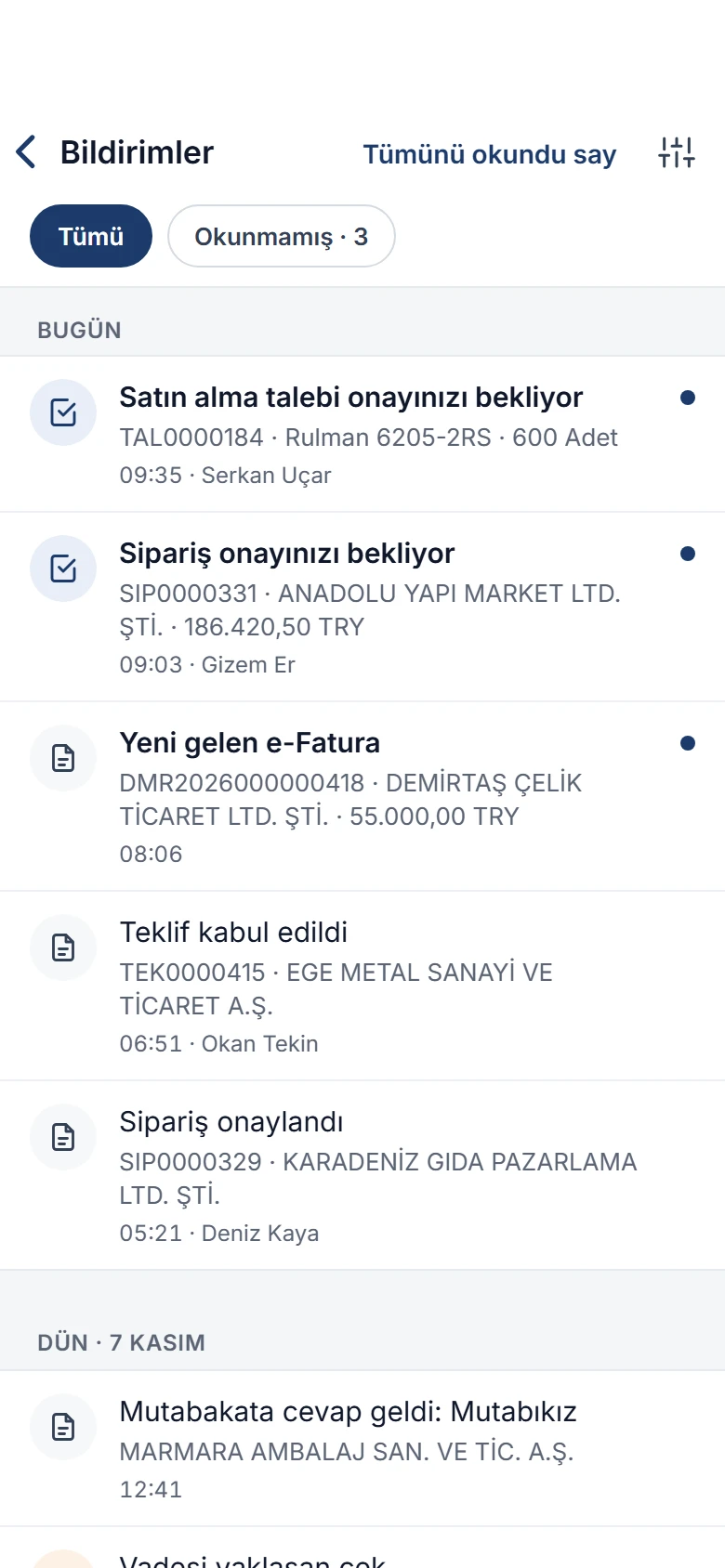
Notifications: a purchase request and an order await your approval, a new incoming e-invoice, quote accepted, order approved, reconciliation answered, cheque due soon

More of the summary

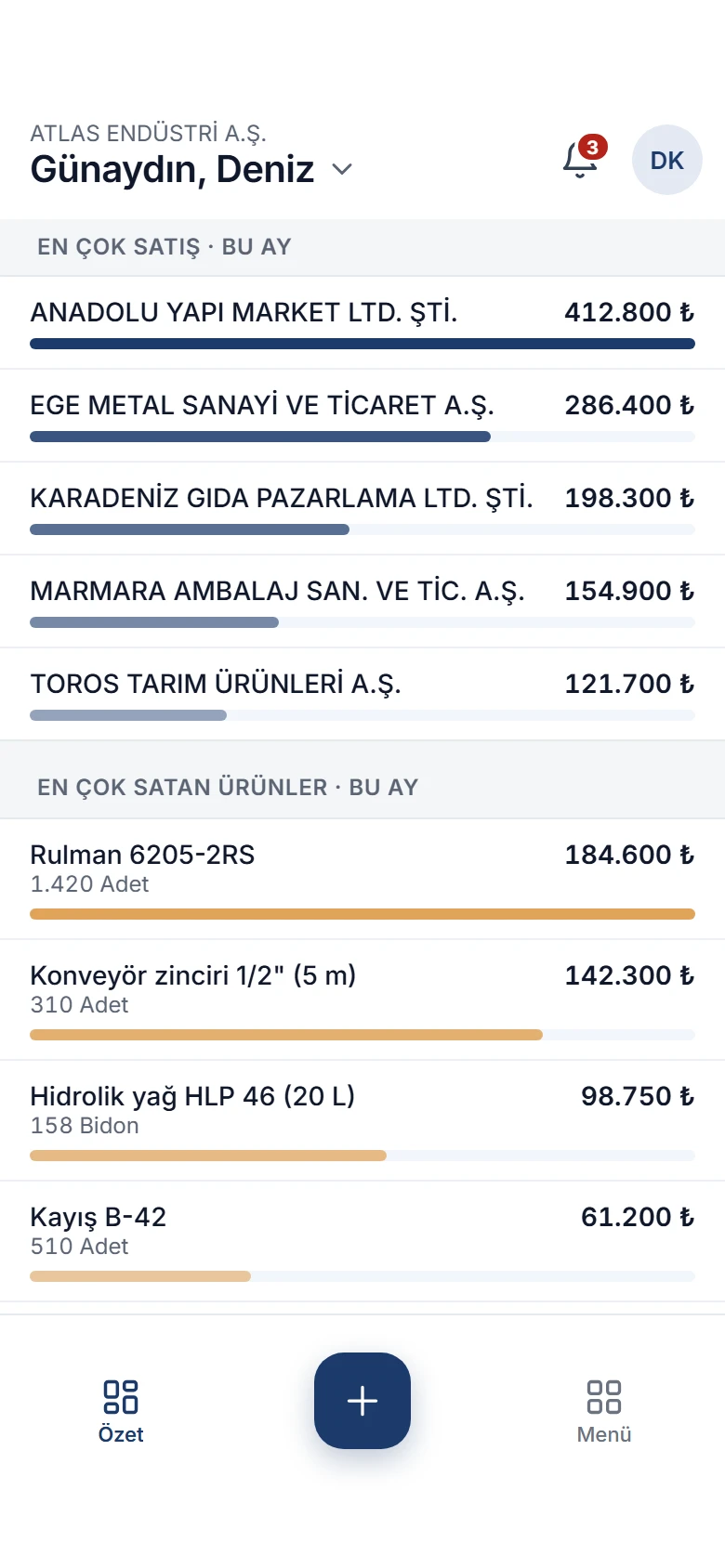
Your top customers and best-selling products this month, the expense breakdown and the financial position with cash, bank, cheque and customer balances continue below the summary.

  • Amounts are in your company’s default currency.
  • Switch company and the summary reopens with that company’s figures.
More of the summary: the five top customers and five best-selling products this month with amounts and quantities; the expense breakdown below

Every module in one menu

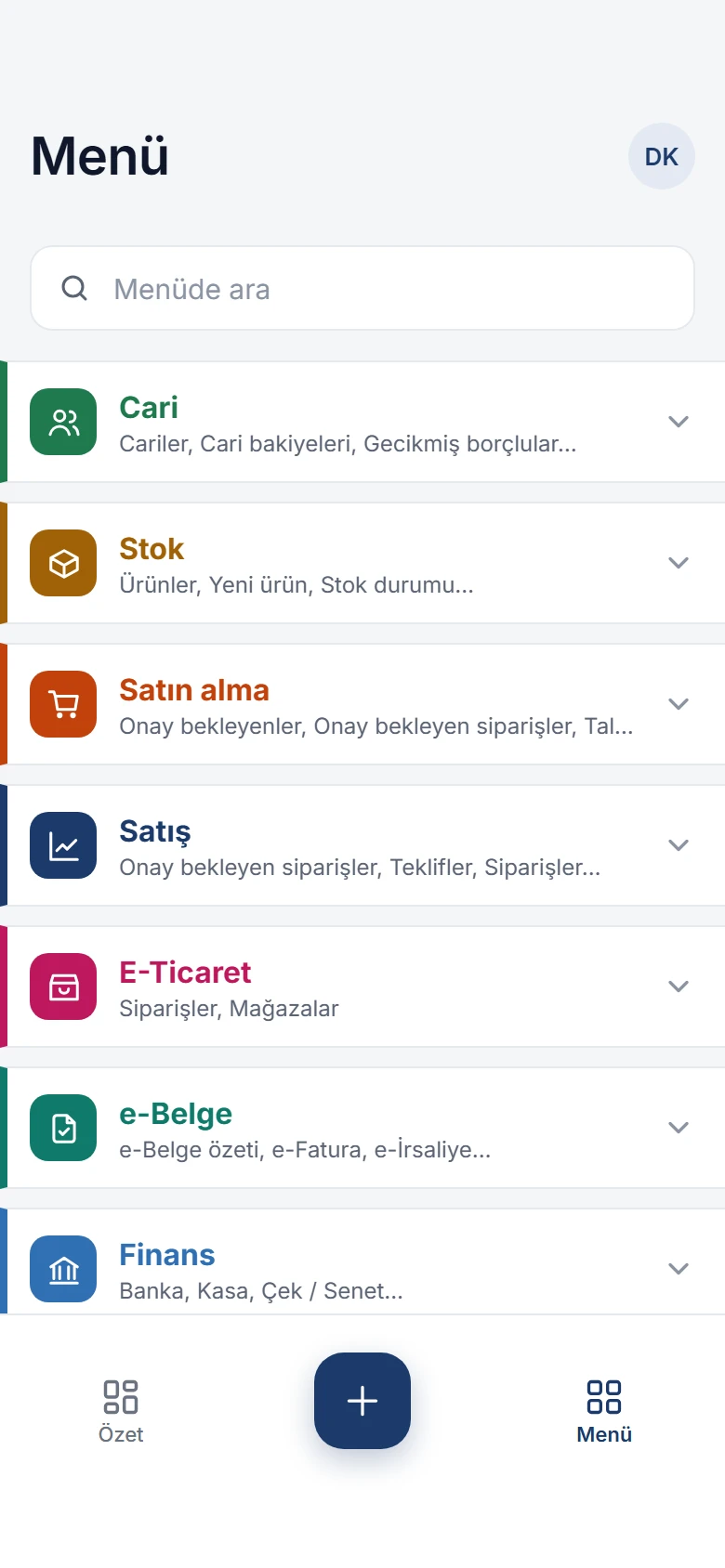
Customers, stock, purchasing, sales, e-commerce, e-documents, finance and accounting, each in its own colour. Search the menu to jump to any screen.

Menu: search box; Customers, Stock, Purchasing, Sales, E-commerce, e-Documents, Finance, Accounting and Definitions with their first screens

What else is in the app?

Biometric lock
The app opens with Face ID or a fingerprint and asks again after more than five minutes in the background.
Card collections
Collect from customers by credit card; instalment options are shown, with 3D Secure when required.
Barcodes and QR codes
Barcode search in stock, barcode lists, and scanning the QR codes of boxes on medicine and medical device invoices.
PDF and sharing
Quotes, orders, invoices and statements open as PDFs in the web’s report designs and can be shared.
Documents
Attach files to records; documents added on the web open on the phone too.
Purchasing process
Requests, purchase lists, supplier price comparison and approvals.
Finance
Bank, cash, cheque and note transactions; cash flow, overdue debtors and daily exchange rates.
Accounting
Accounting vouchers, posting, trial balance, ledger and period-end operations.
Dark theme, two languages
System, light or dark appearance; Turkish and English interface.
Secure sign-in
Sign in with your web user, with SMS verification if you like. Your administrator decides who can use mobile sign-in.

What the web app has, the phone has too.

The mobile app works on the same database with the same rules as the web app: an invoice issued on the phone shows up on the web, and an order opened on the web lands on the approver’s phone. The mobile app is an add-on module sold separately.

  1. Download the app

    Get Noyax from the App Store or Google Play.

  2. Sign in with your web user

    Your administrator enables mobile sign-in for your user; you sign in with the same user name and password.

  3. Choose your company

    If you have several companies, pick the one to work in and switch whenever you like.

Run your business from anywhere.

Try it free for 14 days. No credit card needed.